
ScribeFuse logo
Use casesPricing
  1. Home
  2. /Features
  3. /Audio to Text
Audio to text

Convert Audio Recordings Into Searchable Text

Turn voice notes, interviews, podcasts, and meeting audio into text that is easier to scan than a long waveform. ScribeFuse keeps the transcript connected to the context you need to review.

Start Transcribing View Plans

Your plan controls applicable upload limits, language options, and available output features.

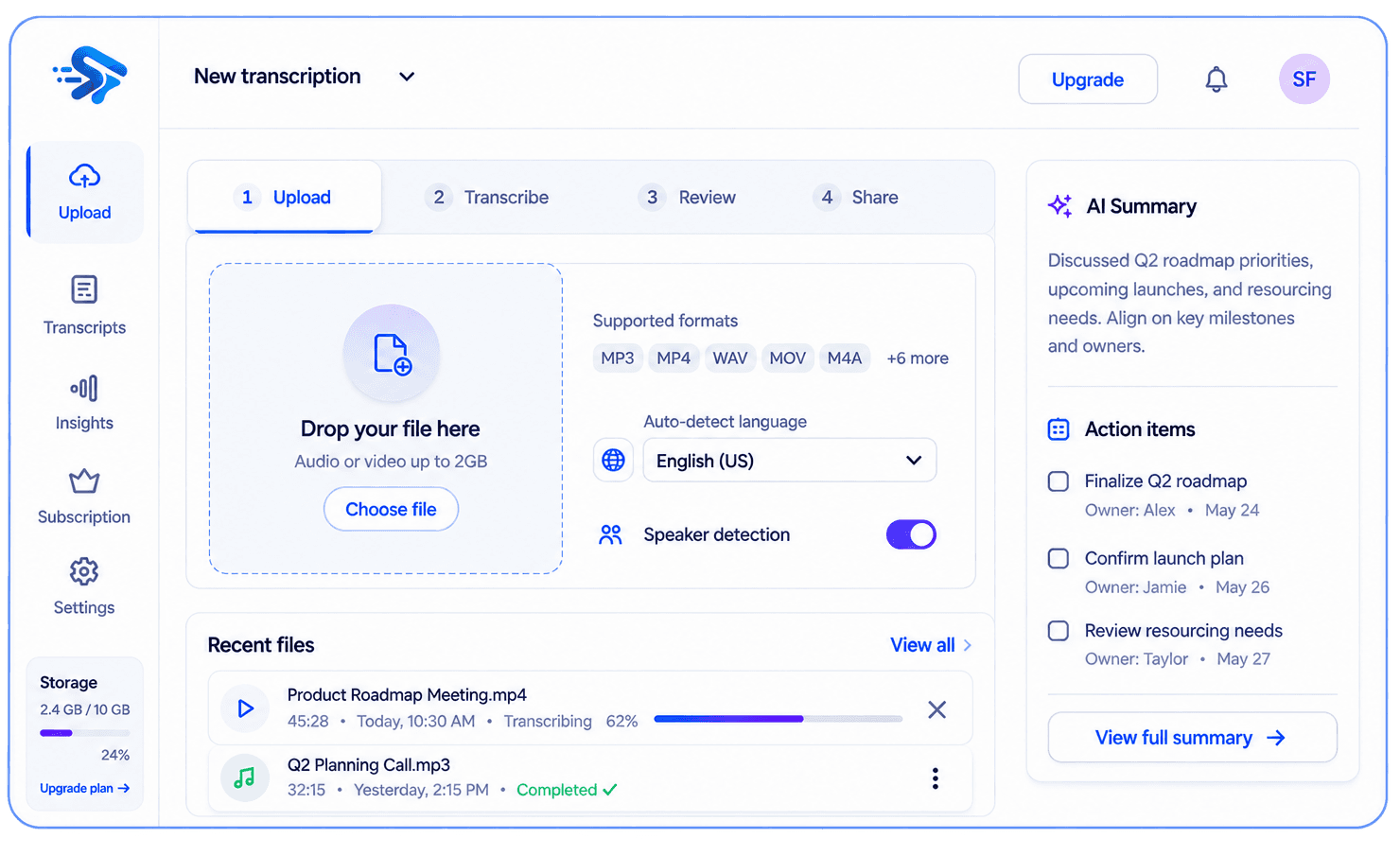
ScribeFuse transcription workspace showing a transcript, summary, and action items

What you get

One recording, useful context

Spend less time replaying audio and more time working with what was said.

Searchable transcript

Available output depends on the recording and your plan.

Concise summary

Available output depends on the recording and your plan.

Plan-based extras

Available output depends on the recording and your plan.

Useful for

  • Voice notes and recorded calls
  • Interviews and user research
  • Podcast and audio learning notes

How it works

From recording to useful notes in three steps

  1. 01

    Choose a supported MP3, WAV, M4A, AAC, or FLAC file.

  2. 02

    Upload it and choose the available language and speaker settings.

  3. 03

    Review the timestamped transcript and summary before using the result.

Worked example

See what should be reviewed before sharing

This illustrative example shows the workflow and review standard. It is not a measured accuracy claim or a transcript from a customer recording.

Example input

A clear M4A interview recording with an interviewer and one guest.

Transcript excerpt

Guest · 05:12 — “Customers asked for a faster way to find decisions in long recordings.”

Generated result to review

Theme: finding decisions quickly. Follow-up: validate the need with additional customer interviews.

Human review

Correct names and specialist vocabulary while listening to the matching timestamp.

Limits to know

  • The upload screen enforces the file size and duration available on the current plan.
  • Heavy noise, music over speech, or several people talking at once can reduce accuracy.
  • Generated summaries and follow-ups need human review.

Troubleshooting

The file is rejected

Confirm the format and current plan limits shown on the upload screen, then export a supported file if needed.

Words are repeatedly misheard

Use a clearer recording or correct names and specialist terms while reviewing the timestamped transcript.

Questions, answered

Before you get started

Which audio formats are supported?

Supported formats include MP3, WAV, M4A, AAC, and FLAC. The upload screen shows current plan limits.

Does audio quality matter?

Yes. Clear speech, less background noise, and minimal overlapping voices produce more useful output.

Related guides

How to transcribe audio and video with AITranscribe podcasts and interviews

Explore more recording workflows

AI TranscriptionMeeting SummarizerYouTube TranscriptVideo to TextMeeting Notes
View the feature hub
ScribeFuse logo
ScribeFuse

Turn Conversations Into Clarity.

Create searchable meeting transcripts, focused summaries, action items, and shareable reports from audio and video recordings.

support@scribefuse.com
Meetings
made useful
Your data
stays private
Built for
modern teams

Platform

Everything you need to get more from your meetings.

  • All features
  • AI audio & video transcription
  • Audio to text
  • Video to text
  • YouTube transcripts
  • AI meeting summaries
  • AI meeting notes
  • Plans and pricing

Company

Learn more about our mission and get the support you need.

  • About ScribeFuse
  • Meeting productivity guides
  • Contact support

Legal

Our policies and terms to keep you informed.

  • Privacy Policy
  • Terms & Conditions
  • Refund Policy

© 2026 ScribeFuse. All rights reserved.

Transcribe, review, and follow up. Smarter meetings. Brighter work.