
ScribeFuse logo
Use casesPricing
  1. Home
  2. /Features
  3. /YouTube Transcript
YouTube transcription

Turn Eligible YouTube Videos Into Transcripts and Summaries

Use a supported public YouTube link to create a readable transcript and concise summary without manually taking notes while you watch. It is useful for lectures, webinars, interviews, and long-form video you have the right to process.

Start Transcribing View Plans

Only submit content you have permission to use. YouTube access and plan eligibility are checked before processing.

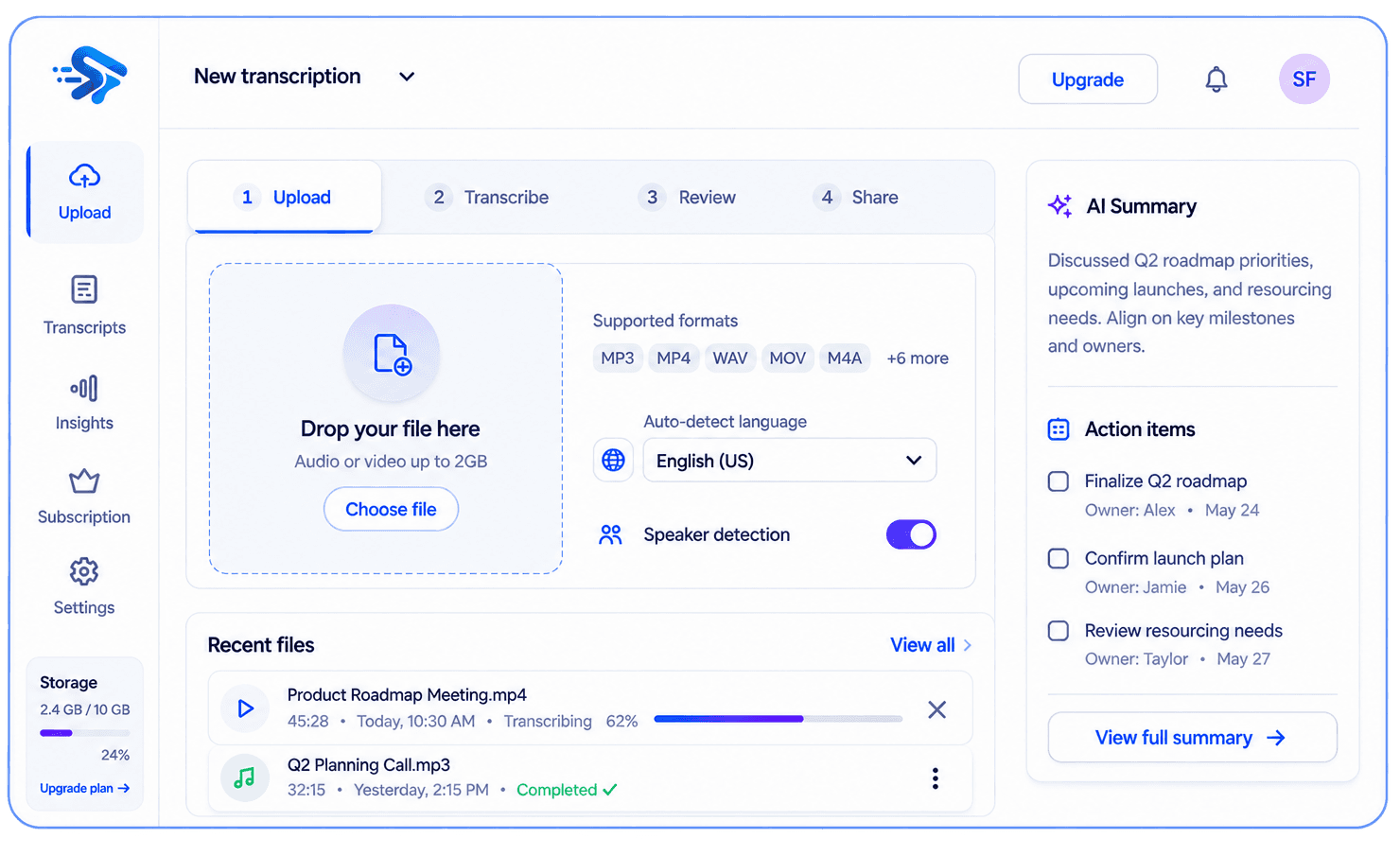
ScribeFuse transcription workspace showing a transcript, summary, and action items

What you get

One recording, useful context

Move from a long video to a reviewable written record and key takeaways.

Searchable transcript

Available output depends on the recording and your plan.

Concise summary

Available output depends on the recording and your plan.

Plan-based extras

Available output depends on the recording and your plan.

Useful for

  • Educational lectures and training videos
  • Webinars and product demonstrations
  • Public interviews and podcasts

How it works

From recording to useful notes in three steps

  1. 01

    Paste an accessible public YouTube URL.

  2. 02

    ScribeFuse checks the video and processes its spoken content.

  3. 03

    Review the transcript, summary, and plan-eligible action items.

Worked example

See what should be reviewed before sharing

This illustrative example shows the workflow and review standard. It is not a measured accuracy claim or a transcript from a customer recording.

Example input

An accessible public lecture URL containing a clear spoken presentation.

Transcript excerpt

Presenter · 08:41 — “The first step is to separate the observation from the interpretation.”

Generated result to review

Key takeaway: review observations before drawing conclusions. The transcript keeps a timestamp for verification.

Human review

Open the source video at the timestamp before quoting or publishing the generated text.

Limits to know

  • Private, deleted, age-restricted, region-restricted, live, or otherwise inaccessible videos may fail.
  • YouTube processing is limited to plans that include the feature.
  • Availability can change when the source video or platform access changes.

Troubleshooting

The video cannot be accessed

Confirm that the URL is public, available in your region, and not age-restricted or deleted.

The transcript is incomplete

Check the source audio and video availability, then retry only when you have permission to process it.

Questions, answered

Before you get started

Can every YouTube video be processed?

No. Private, deleted, age-restricted, region-restricted, or otherwise inaccessible videos may not work.

Is this available on every plan?

YouTube transcription is only available when the current plan includes it.

Related guides

Transcribe podcasts, interviews, lectures, and YouTubeHow to transcribe audio and video with AI

Explore more recording workflows

AI TranscriptionMeeting SummarizerAudio to TextVideo to TextMeeting Notes
View the feature hub
ScribeFuse logo
ScribeFuse

Turn Conversations Into Clarity.

Create searchable meeting transcripts, focused summaries, action items, and shareable reports from audio and video recordings.

support@scribefuse.com
Meetings
made useful
Your data
stays private
Built for
modern teams

Platform

Everything you need to get more from your meetings.

  • All features
  • AI audio & video transcription
  • Audio to text
  • Video to text
  • YouTube transcripts
  • AI meeting summaries
  • AI meeting notes
  • Plans and pricing

Company

Learn more about our mission and get the support you need.

  • About ScribeFuse
  • Meeting productivity guides
  • Contact support

Legal

Our policies and terms to keep you informed.

  • Privacy Policy
  • Terms & Conditions
  • Refund Policy

© 2026 ScribeFuse. All rights reserved.

Transcribe, review, and follow up. Smarter meetings. Brighter work.