
ScribeFuse logo
Use casesPricing
  1. Home
  2. /Features
  3. /Video to Text
Video to text

Turn Video Into a Searchable Transcript

A recorded meeting, webinar, interview, or training video can be hard to review later. ScribeFuse extracts the spoken conversation into text, then helps you understand the main points without starting from the beginning.

Start Transcribing View Plans

Use recordings only when you have the right to upload and process them.

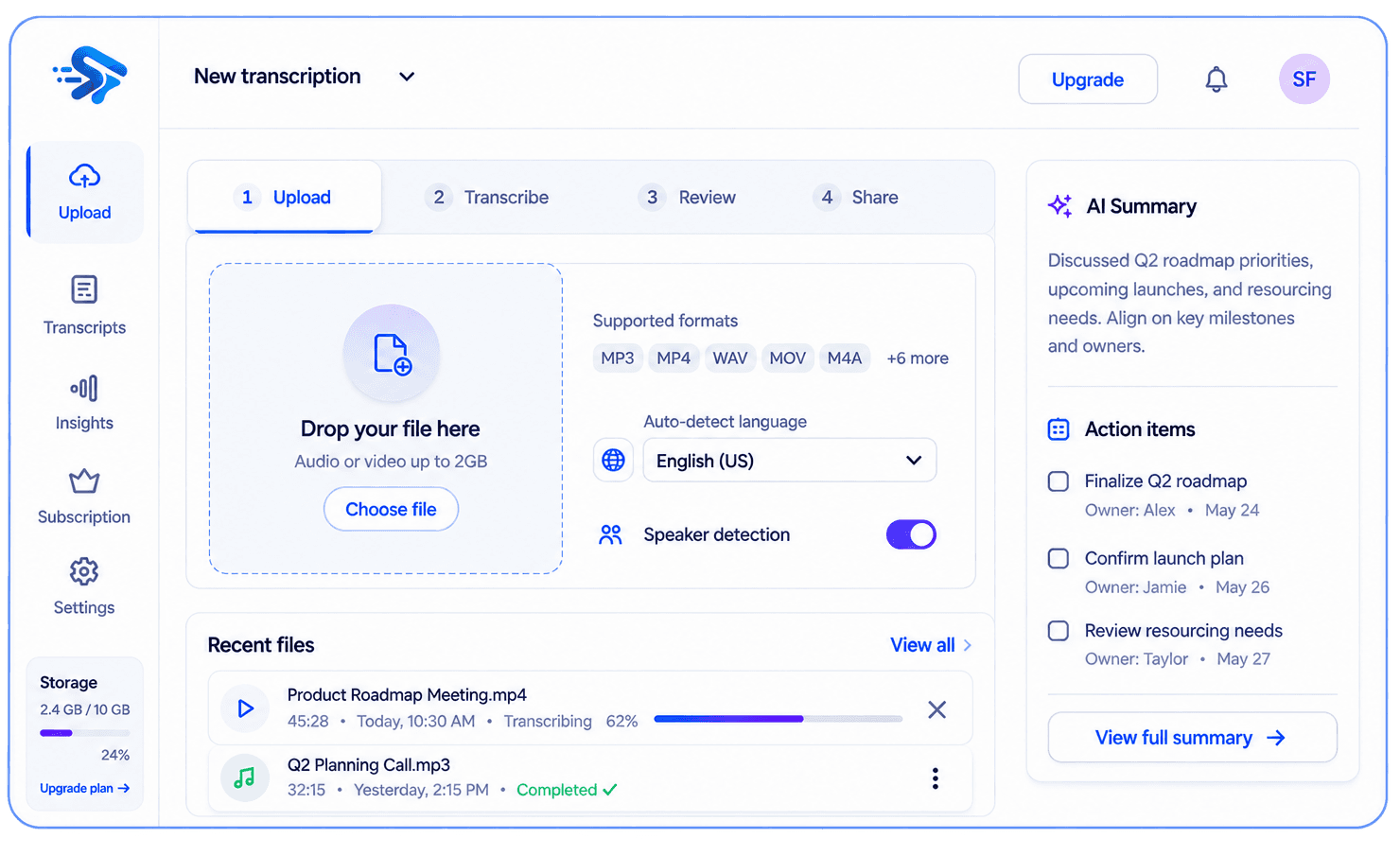
ScribeFuse transcription workspace showing a transcript, summary, and action items

What you get

One recording, useful context

Make long videos easier to review, reference, and share with the people who need context.

Searchable transcript

Available output depends on the recording and your plan.

Concise summary

Available output depends on the recording and your plan.

Plan-based extras

Available output depends on the recording and your plan.

Useful for

  • Recorded meetings and video calls
  • Webinars and product walkthroughs
  • Training sessions and presentations

How it works

From recording to useful notes in three steps

  1. 01

    Upload an MP4, MOV, or WEBM video with a usable audio track.

  2. 02

    ScribeFuse processes the spoken audio into a timestamped transcript.

  3. 03

    Read the transcript and review the generated summary when processing completes.

Worked example

See what should be reviewed before sharing

This illustrative example shows the workflow and review standard. It is not a measured accuracy claim or a transcript from a customer recording.

Example input

An MP4 product walkthrough with narration and questions from two attendees.

Transcript excerpt

Presenter · 16:27 — “The export is available after the transcript finishes processing.”

Generated result to review

Summary section: export workflow demonstrated. Question to verify: which export option applies to the viewer’s plan?

Human review

Use the timestamp to verify product steps and update notes when the interface changes.

Limits to know

  • A video without a clear audio track cannot produce a useful transcript.
  • Large files and long recordings are subject to the current plan limits.
  • On-screen text that is never spoken is not guaranteed to appear in the transcript.

Troubleshooting

The video uploads but has no transcript

Confirm that the file contains a playable audio track and is not muted or corrupted.

Processing fails

Try a supported MP4, MOV, or WEBM export and confirm the file opens normally before uploading again.

Questions, answered

Before you get started

Does a video need audio?

Yes. A usable audio track is required to create a transcription.

Are there video limits?

File size and duration limits depend on the current plan and are checked before processing.

Related guides

How to transcribe audio and video with AITranscribe webinars and interviews

Explore more recording workflows

AI TranscriptionMeeting SummarizerYouTube TranscriptAudio to TextMeeting Notes
View the feature hub
ScribeFuse logo
ScribeFuse

Turn Conversations Into Clarity.

Create searchable meeting transcripts, focused summaries, action items, and shareable reports from audio and video recordings.

support@scribefuse.com
Meetings
made useful
Your data
stays private
Built for
modern teams

Platform

Everything you need to get more from your meetings.

  • All features
  • AI audio & video transcription
  • Audio to text
  • Video to text
  • YouTube transcripts
  • AI meeting summaries
  • AI meeting notes
  • Plans and pricing

Company

Learn more about our mission and get the support you need.

  • About ScribeFuse
  • Meeting productivity guides
  • Contact support

Legal

Our policies and terms to keep you informed.

  • Privacy Policy
  • Terms & Conditions
  • Refund Policy

© 2026 ScribeFuse. All rights reserved.

Transcribe, review, and follow up. Smarter meetings. Brighter work.